01
Edit and annotate PDFs
Edit text, mark up pages, draw, highlight, and work with document content while keeping more of the PDF visible on the unfolded display.


Optimized for iPhone Duo
PDF Editor, PDF Book Reader® for iPhone Duo
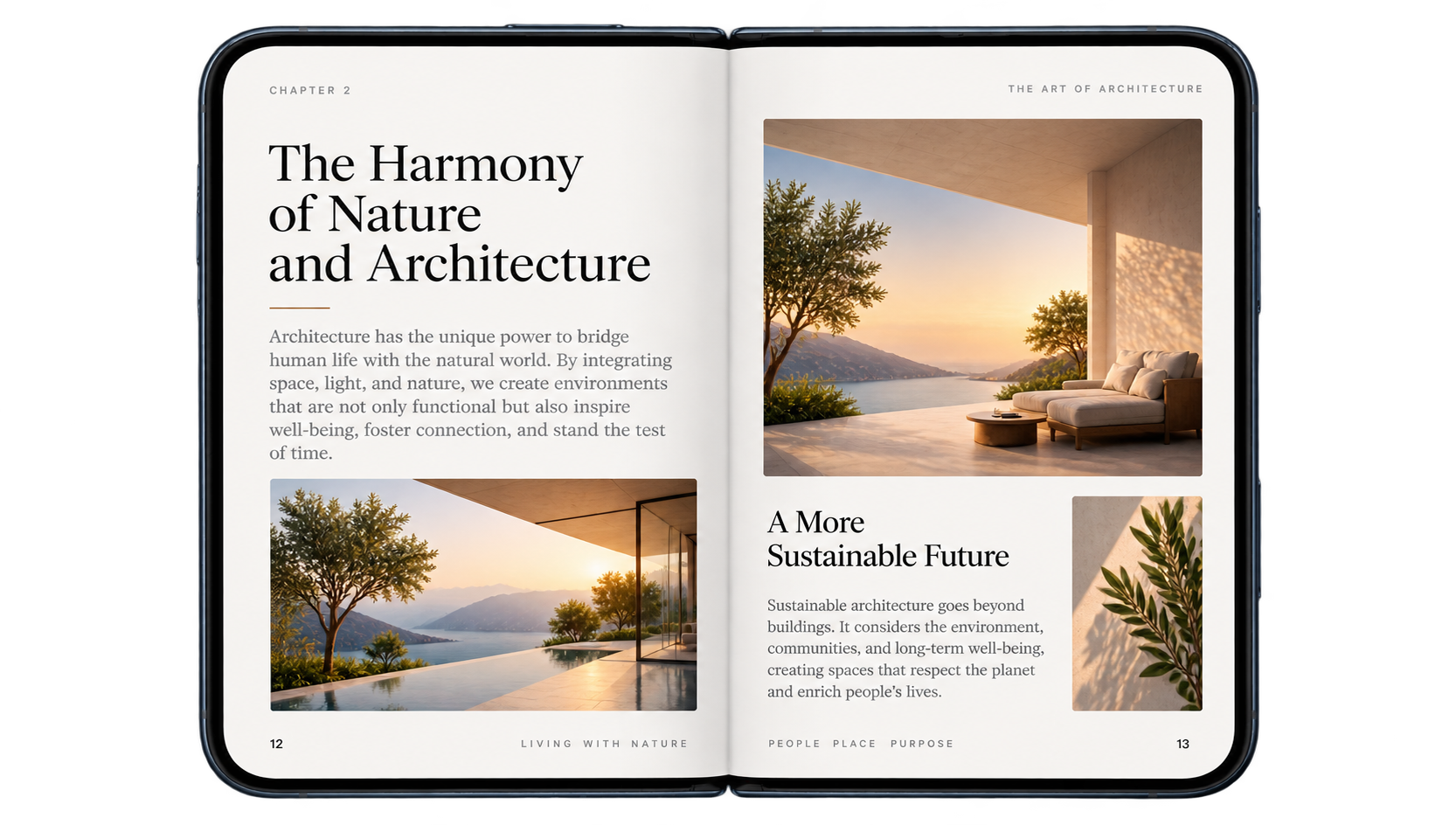
Start with a single PDF page on the outer display. Unfold iPhone Duo and the same document opens into a two-page spread on the larger inner display — giving books, manuals, reports, and long PDFs a more natural reading canvas.
One page folded. Two facing pages unfolded. Your reading position stays with you.
A focused reading view for the outer display.
Facing pages use the larger inner display like an open book.
The document stays aligned as you move between folded and unfolded views.
Two-page PDF reading
PDF Editor, PDF Book Reader® is designed to make the fold useful for reading, not simply stretch the same phone interface across a wider screen.
Read a single page while iPhone Duo is folded. Open the device and the PDF expands into two facing pages on the inner display, keeping the current reading position connected across both layouts.
For books and longer PDFs, the result feels closer to opening a real book: two pages are visible together, page pairs are easier to follow, and you can move through the document with a book-like page-turning experience.

A reading experience shaped by the device
The inner display gives PDFs room to breathe. Facing pages sit together naturally, the center of the device becomes a visual spine, and the document can be read as a spread instead of a single oversized page. Fold iPhone Duo when you want a compact reading view; unfold it when you want the context of two pages at once.
More room for your PDF workflow
The two-page reading experience is only the beginning. On iPhone Duo, PDF Editor, PDF Book Reader® also gives editing, scanning, OCR, signatures, collaboration, conversion, sharing, and document tools more room to work.
Edit text, mark up pages, draw, highlight, and work with document content while keeping more of the PDF visible on the unfolded display.
Capture paper documents, recognize text with OCR, and turn scans into useful PDFs.

Complete forms, add signatures, and review the surrounding document without losing context.

Collaborate on a PDF during FaceTime with shared reading, annotations, and document review — now with more space for the page and your tools.

Apple technologies
iPhone Duo changes the shape of the workspace, while the app keeps the Apple technologies you already use around your documents — including iCloud, SharePlay, Siri and Shortcuts, and Apple Intelligence features where supported.
Apple Intelligence
Use Apple Intelligence features in supported workflows to help understand and organize document content while staying inside PDF Editor, PDF Book Reader®.
Explore Apple Intelligence
iCloud
Keep PDFs available through iCloud and Files so the documents you read and edit on iPhone Duo can stay connected with your other Apple devices.

See it in motion
Watch PDF Editor, PDF Book Reader® move between folded and unfolded iPhone Duo layouts, then continue through reading, editing, Apple Intelligence, and accessibility workflows.
Designed around the fold
Use a focused single-page view when you want the compact, familiar iPhone experience.
Unfold for a wider document canvas with two facing PDF pages and more context around your work.
Move between the two layouts while keeping the reading position understandable and continuous.
Reading, editing, annotation, OCR, signatures, organization, conversion, sharing, and export remain part of the same app.
iPhone Duo FAQ
Answers to common questions about two-page PDF reading and the app’s document tools on iPhone Duo.
Yes. The app is optimized for iPhone Duo and adapts its PDF experience between the outer and inner displays.
Yes. Unfold iPhone Duo and supported PDFs can appear as two facing pages on the larger inner display, creating a more book-like reading experience.
The layout is designed to keep your reading position aligned as you move between the folded single-page view and the unfolded two-page view, so you can continue reading without starting over.
Yes. PDF editing, annotation, drawing, highlighting, signatures, page tools, and other document controls remain available while the larger display gives the PDF more room on screen.
Yes. PDF Editor, PDF Book Reader® includes document scanning and OCR, iCloud-based workflows, SharePlay collaboration, and Apple Intelligence features where supported, alongside conversion, organization, sharing, and export tools.

PDF Editor, PDF Book Reader® + iPhone Duo
Read PDFs like a book, then edit, annotate, scan, sign, organize, and share them from the same iPhone Duo experience.