
Read Aloud

Listen to your PDFs.

Read Aloud turns PDFs into listening time. Natural voices read your document with word-by-word highlighting, and you can adjust the speed, voice, and language — then keep listening with the screen locked or on Apple Watch.

Narration Style skips page numbers and headers for an audiobook-like experience.

Last updated November 2026.

Illustration: listening to a book with Read Aloud at the beach
Voices
Natural voices; choose voice and language
Follow along
Word-by-word highlighting
Background
Lock Screen, Control Center, Dynamic Island
Also on
Apple Watch, CarPlay, AirPlay, HomeView

Natural voices

Hear every word. See every word.

Read Aloud speaks your PDF with natural-sounding voices and highlights each word as it is read, so you can listen and follow along at the same time.

Adjust the reading speed, choose a different voice, and pick the language that matches your document.
Reading and listening, in sync.

Narration Style

Like an audiobook for your PDFs.

Narration Style reads in whole, flowing sentences, with natural pauses after headings, lists, and paragraphs. Words split across two lines are read as one word, and page numbers, repeated headers and footers, bullets, and table-of-contents dot lines are skipped.

Narration Style is on by default and can be switched off at any time in Reader Settings.

Fewer interruptions. Better listening.

Background listening

Keep listening when you lock your iPhone.

Playback continues in the background, with controls on the Lock Screen, in Control Center, and in the Dynamic Island.

Read Aloud pauses for phone calls and when headphones are unplugged, resumes at your last page, and can play on AirPlay speakers.

Your document, on the go.

CarPlay and HomeView

Listen in the car and at home.

From version 17.4, Read Aloud works in CarPlay: your car’s screen shows the PDF you were reading, from the page you reached, with play/pause, page skip, and 15-second jumps.

At home, the Continue Reading widget on Apple HomeView, StandBy, and the Home Screen shows your page and a Play button.

Your book follows you.

Apple Watch

Listen from your wrist.

Read Aloud works on Apple Watch with AirPods. Choose the voice and speed, and each page is read in its own language.

You can also control Apple Watch playback from your iPhone.

Leave your phone in your pocket.

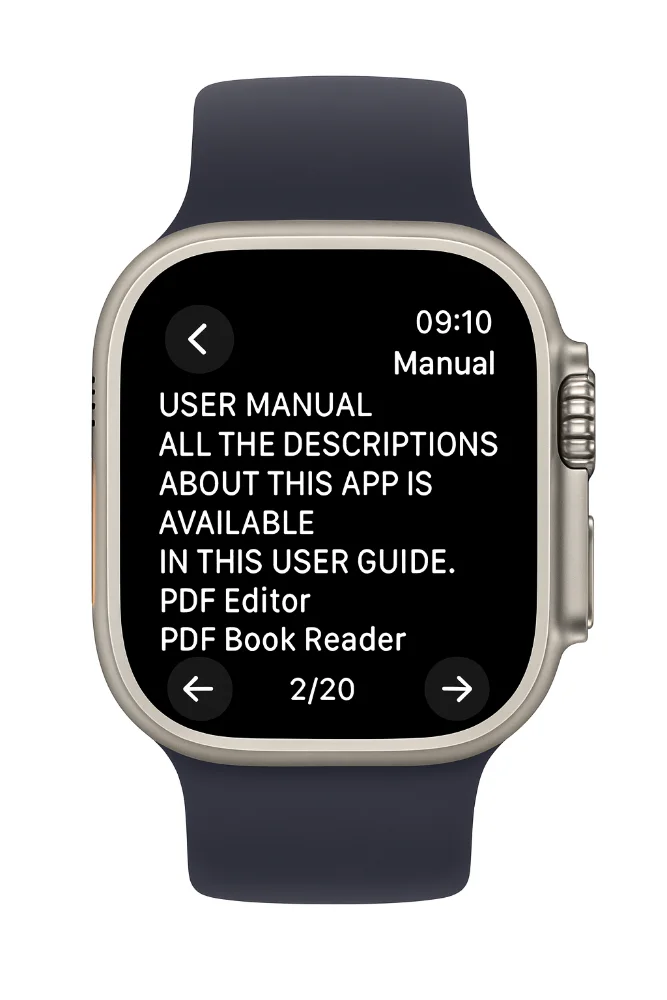
PDF Editor, PDF Book Reader® on Apple Watch: reading a manual page by page

How it works

Listen to a PDF in four steps.

  1. Open a PDF

    Open the document or book you want to hear.

  2. Start Read Aloud

    Start playback and follow the highlighted words, or turn on Narration Style.

  3. Set it up your way

    Change the speed, voice, or language to suit the document.

  4. Keep listening

    Lock your iPhone, use AirPods, AirPlay, or Apple Watch — playback continues.

Available tools can vary by device and app version.

FAQ

Read PDF Aloud: common questions.

Quick answers about listening to PDFs with Read Aloud in PDF Editor, PDF Book Reader®.

Can PDF Editor, PDF Book Reader® read PDFs aloud?

Yes. Read Aloud reads PDFs with natural voices and highlights each word as it is read.

Can I change the reading speed and voice?

Yes. You can adjust the speed, voice, and language.

Does Read Aloud keep playing when my iPhone is locked?

Yes. Playback continues in the background, with controls on the Lock Screen, in Control Center, and in the Dynamic Island.

Can it skip page numbers and headers?

Yes. Narration Style provides an audiobook-like reading that skips page numbers and headers.

Can I listen to PDFs on Apple Watch?

Yes. Read Aloud works on Apple Watch with AirPods, and each page is read in its own language.

Will it remember where I stopped?

Yes. Read Aloud resumes at your last page, and the Continue Reading widget includes a Read Aloud button.

Is PDF Editor, PDF Book Reader® free?

The app is free to download from the App Store and offers optional in-app purchases: monthly, quarterly, or yearly subscriptions, or a one-time Lifetime purchase. Some features may require a subscription or the Lifetime purchase, and one purchase unlocks the app across your Apple devices.

PDF Editor, PDF Book Reader®

Turn reading time into listening time.

Listen to PDFs with natural voices on iPhone, iPad, Mac, and Apple Watch.